Tips & Advice
PoE vs WiFi Security Cameras: Bandwidth and Reliability in San Diego
Key Takeaways
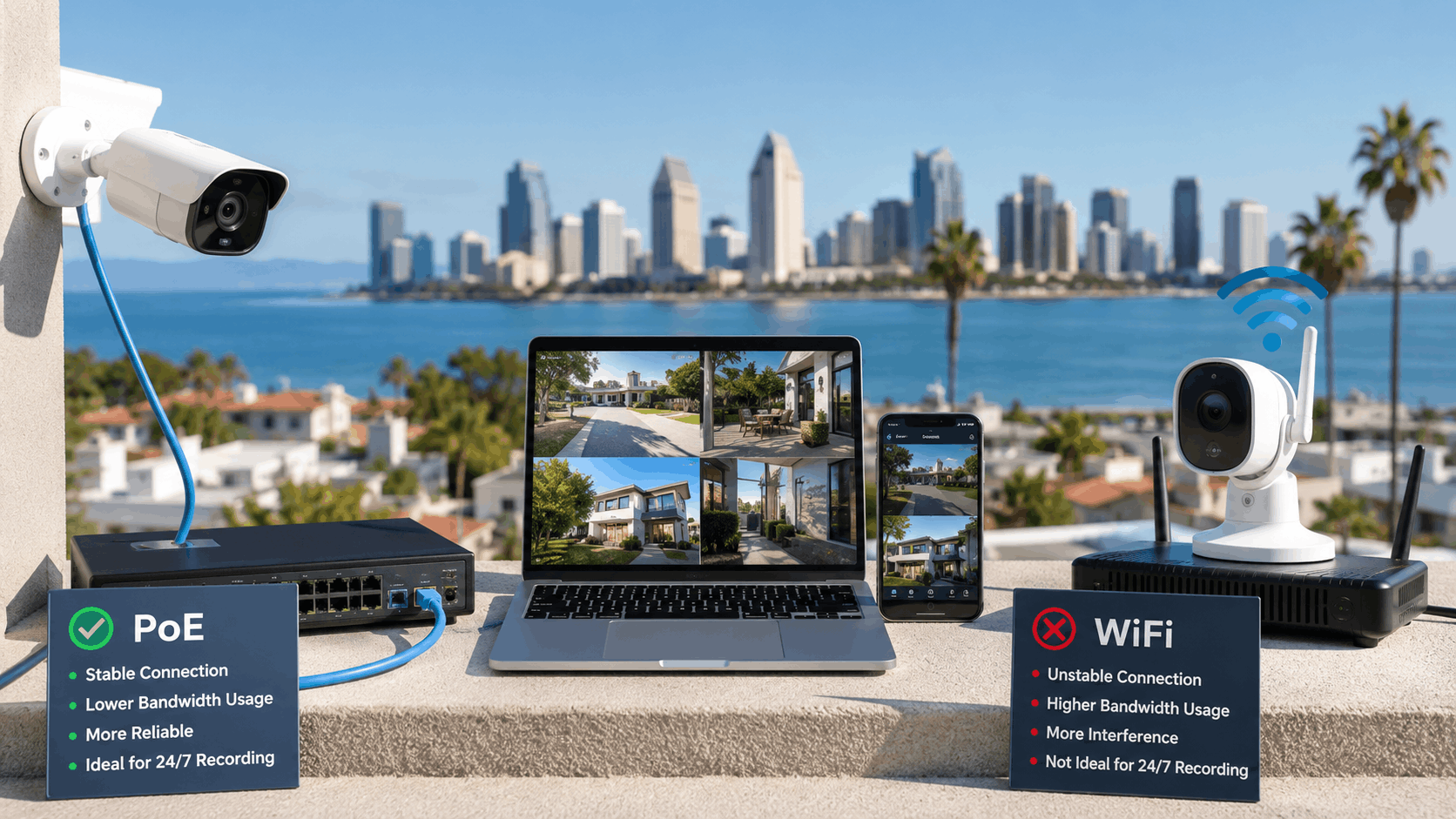
- PoE cameras run power and data over one Ethernet cable and keep video off your WiFi, making them more reliable and higher quality for homes and businesses that stay put.
- WiFi cameras share household bandwidth, so heavy streaming or gaming can cause dropped footage, but they win on flexibility and easy no-drill setup for renters and condos.
- Plan on 2 to 4 Mbps per 1080p camera and 8 to 16 Mbps per 4K camera, and match camera count to your San Diego internet upload speed for remote viewing.
- Thick stucco walls in older La Jolla and Kensington homes and crowded neighbor networks weaken WiFi, while wired PoE ignores interference and reaches about 100 meters per run.
- Coastal salt air near Point Loma calls for IP66-rated corrosion-resistant cameras, while inland heat in Santee and El Cajon demands proper housings and ventilation.
- WiFi costs less up front but adds cloud fees and battery upkeep, while PoE costs more to install but avoids monthly charges and often wins on lifetime value.
- Hybrid setups mixing wired and wireless cameras suit many older San Diego homes, and a UPS keeps either system recording during power outages.
- Smart Shield Systems assesses each property before recommending PoE, WiFi, or a hybrid mix based on the neighborhood, building, and goals.
In This Article
A homeowner in Clairemont called our team last spring with a familiar complaint. Every evening around 7 p.m., right when the family started streaming shows, their WiFi security cameras froze or dropped offline. The cameras looked fine during the day, but the moment the household bandwidth got busy, the footage turned choppy or vanished. By the time anything happened outside, the recording had gaps.
This is one of the most common issues we see across San Diego, from beachside condos in Ocean Beach to sprawling lots in Rancho Santa Fe. The choice between PoE (Power over Ethernet) and WiFi security cameras affects video quality, reliability, and how well your system holds up during a busy night or a power outage. Both have a place, but they behave very differently.
How PoE and WiFi Security Cameras Actually Work
Both PoE and WiFi cameras capture video and send it to a recorder or the cloud. The difference is how they get power and how they move that video from point A to point B. That single difference changes almost everything about performance.
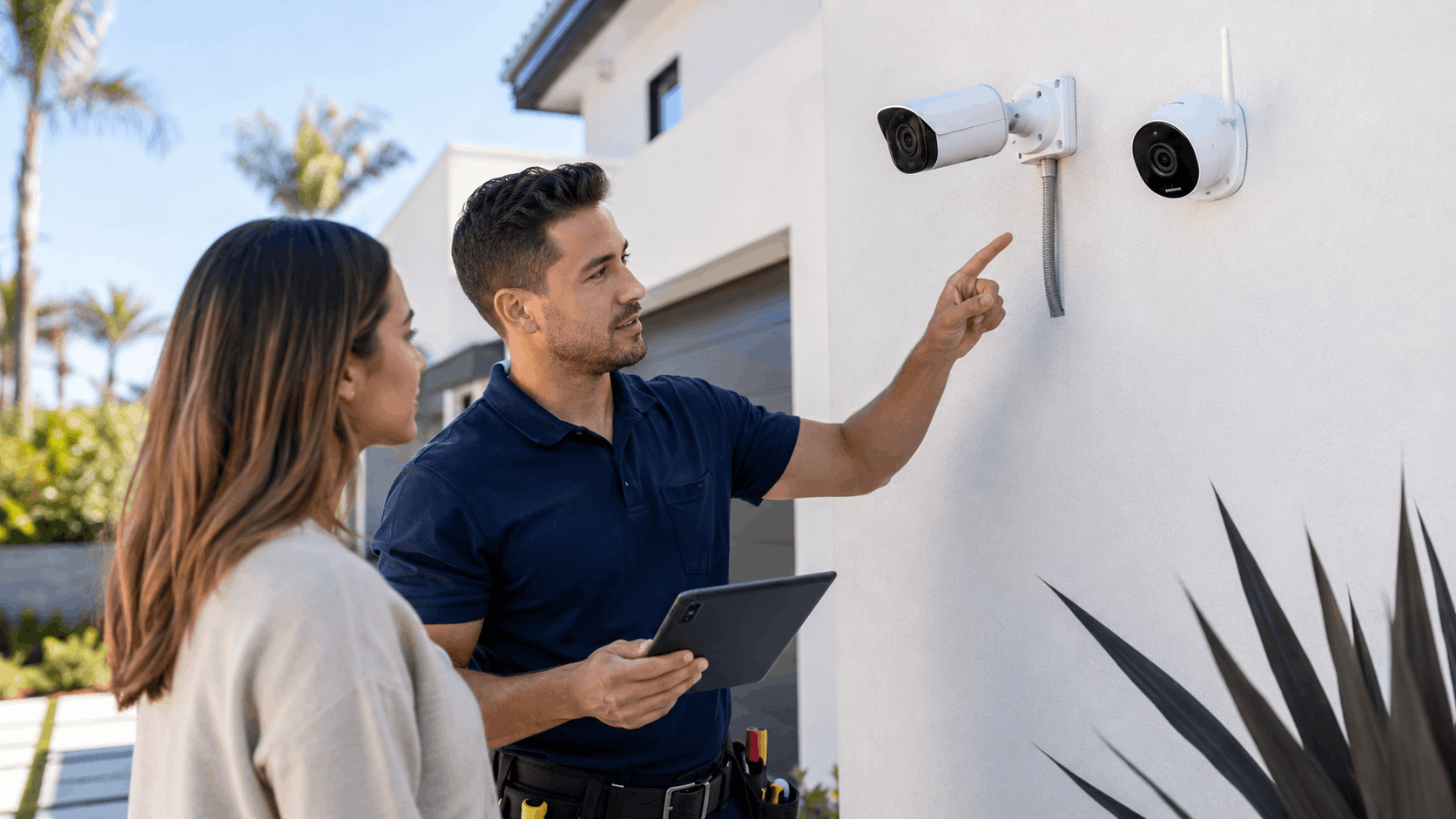
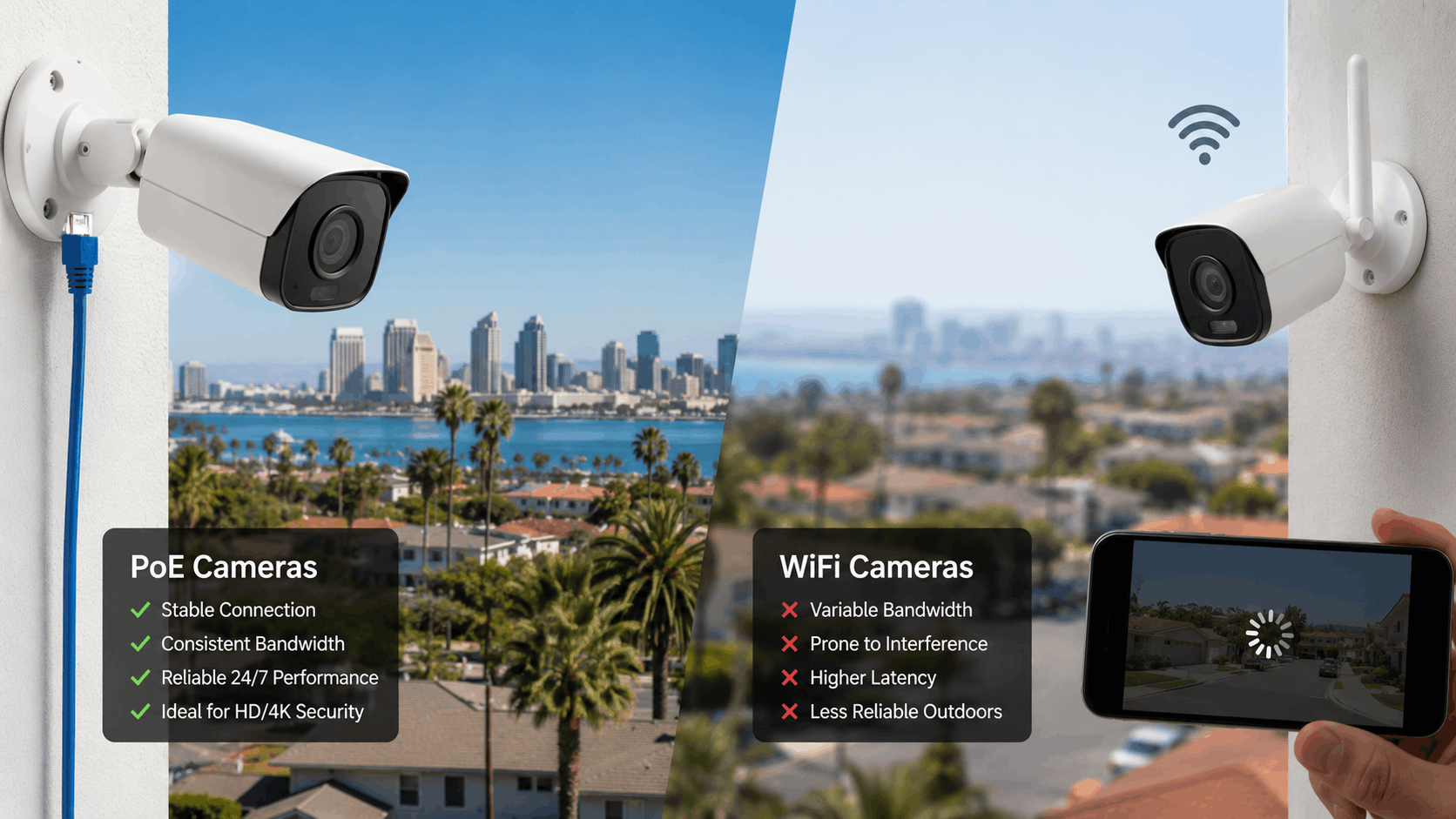
A PoE camera runs on a wired connection. A WiFi camera sends its video through the air to your router. Below is a quick side-by-side look before we get into the details.
| Feature | PoE Camera | WiFi Camera |
|---|---|---|
| Power source | Ethernet cable | Plug-in adapter or battery |
| Video transmission | Wired Ethernet | Wireless WiFi signal |
| Network load | Dedicated cabling | Shares home WiFi |
| Typical reliability | Very high | Depends on signal |
| Install effort | Higher (cable runs) | Lower (no drilling) |
Choosing between the two comes down to your property, your internet plan, and how much you value uptime. Our video surveillance camera services cover both, and we help San Diego owners weigh the trade-offs every week.
What Power over Ethernet Means for Your Cameras
Power over Ethernet means one cable does two jobs. A single Ethernet cable carries both the video data and the electricity the camera needs to run. There is no separate power outlet required at the camera location.
That matters for installation because you only run one wire instead of two. A camera mounted high on a second-story eave in Tierrasanta does not need an electrician to add an outlet. The Ethernet cable pulls power from a PoE switch or the recorder itself.
It also matters for uptime. A wired connection does not drop when the WiFi gets crowded or a neighbor's network interferes. The camera stays connected to the recorder as long as the cable is intact and the switch has power.
For most homeowners who want the fewest headaches, this wired approach is why PoE camera systems have become the standard for serious security camera systems. The connection is steady and predictable year after year.
How WiFi Cameras Send Video Over the Air
A WiFi camera skips the data cable and beams its video to your router using a WiFi signal. The camera still needs power, so it either plugs into an outlet or runs on a rechargeable battery. That makes placement flexible, since you only worry about power, not a data run.
The catch is that a wireless camera depends entirely on your router. If the signal is weak where the camera sits, the video will lag, buffer, or drop. Thick walls, distance, and interference all chip away at that signal.
Battery-powered models add another wrinkle. To save power, many of them only record when they detect motion, so they may miss the seconds before an event. They also need recharging or battery swaps every few weeks to months.
WiFi cameras shine when running cable is impractical. A downtown condo or a rental unit where drilling is off the table often calls for wireless first. The convenience is real, but so is the dependence on a strong, steady WiFi signal.
The Role of the NVR, Router, and Home Network
Recorded footage has to live somewhere. PoE systems usually record to an NVR (network video recorder) with a hard drive on site. WiFi cameras often lean on cloud storage, though many can also use a local recorder or a memory card.
The NVR is the hub for a wired system. Cameras connect straight to it or to a PoE switch, and the video storage stays local. That keeps most of the camera traffic off your regular home network entirely.
WiFi cameras load your home network differently. Every camera competes with phones, laptops, and TVs for the same wireless bandwidth. A handful of cameras streaming at once can noticeably slow down browsing and video calls.
This split is why the recording setup deserves attention up front. Local NVR storage avoids monthly fees and keeps footage under your control, while cloud storage adds convenience and off-site backup for a recurring cost.
Hybrid Setups: When Both Make Sense
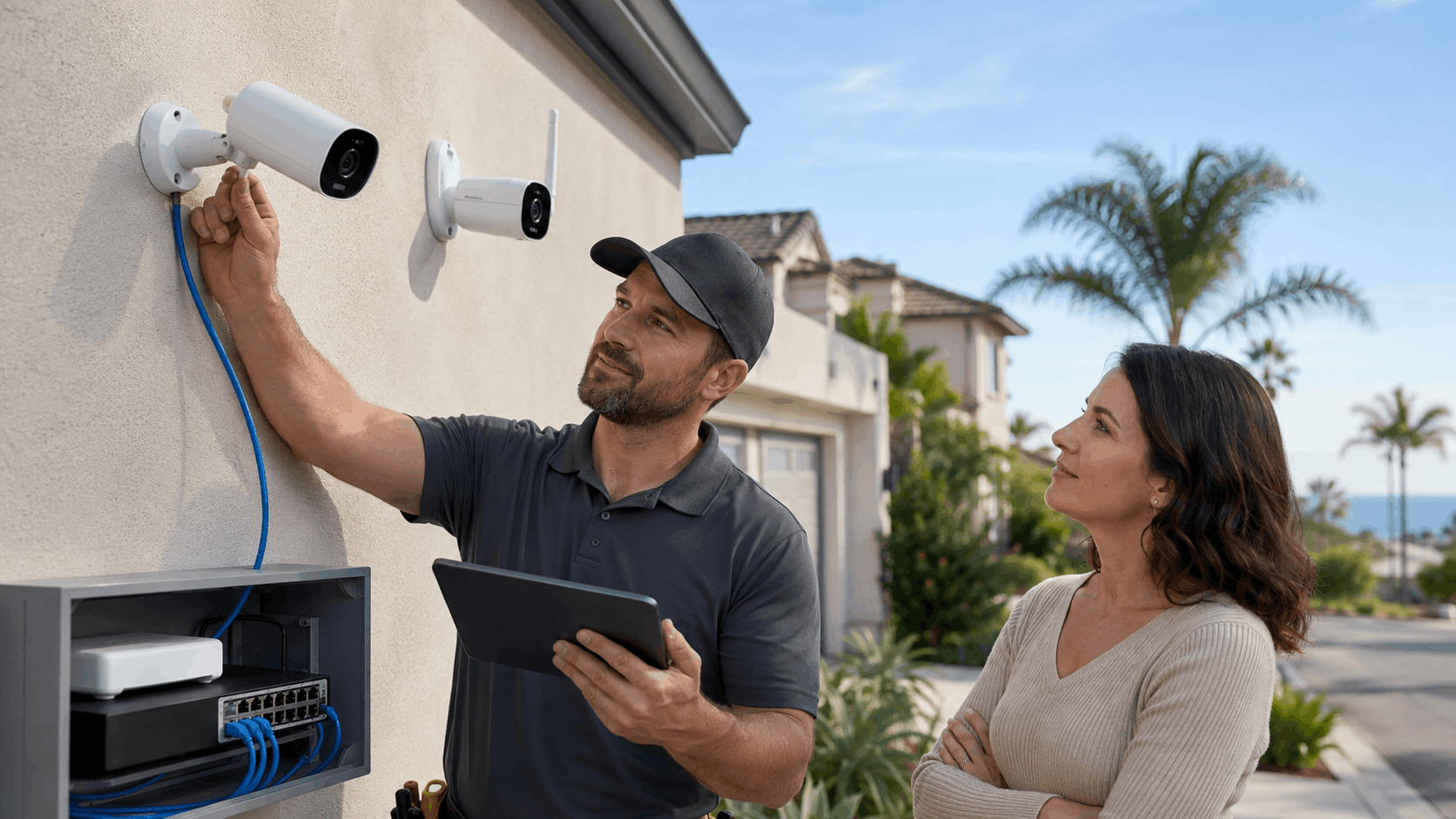
Plenty of San Diego homes end up with a mix of both. A hybrid camera system uses wired PoE cameras where they matter most and wireless cameras where cable is hard to reach. Older homes with finished basements or plaster walls are prime candidates.
Take a 1950s house near Kensington with a detached garage. Running Ethernet to the main entry points is easy, but reaching the back fence line might mean a wireless camera instead. A mixed install gives you the best coverage without tearing up the whole house.
We often recommend PoE for the front door, driveway, and main approaches where reliability counts most. WiFi fills the gaps in spots like a side yard or a shed where a dropped frame now and then is acceptable.
A good recorder can handle both types together, showing every feed in one app. That flexibility lets our team build a system around the house you actually have, not a perfect blank slate.
Bandwidth Differences That Affect Your Video Quality
Bandwidth is the amount of data your cameras push every second. Higher resolution and higher frame rates eat more of it. When you run several cameras at once, that camera bandwidth adds up fast.
Understanding the numbers helps you match your system to your internet plan. Here is a rough guide to how much data cameras use at common resolutions.
| Resolution | Typical Bitrate | Per Camera Bandwidth |
|---|---|---|
| 1080p (2MP) | 2-4 Mbps | ~2-4 Mbps |
| 2K (4MP) | 4-8 Mbps | ~4-8 Mbps |
| 4K (8MP) | 8-16 Mbps | ~8-16 Mbps |
These ranges shift with motion, lighting, and compression settings. Still, they give San Diego readers a real starting point for planning video quality across a whole system.
How Much Bandwidth 4K and 1080p Cameras Use
A single 1080p camera usually needs about 2 to 4 Mbps while recording. That is light enough that a few cameras rarely strain a modern connection. For many homes, 1080p is plenty of detail for faces and license plates at close range.
Step up to a 4K security camera and the 4K bandwidth climbs to roughly 8 to 16 Mbps per camera. The extra pixels capture more detail across a wider area, which helps on large driveways or parking lots. The trade-off is a much bigger data and storage load.
Now multiply by camera count. Four 4K cameras recording at once can demand 40 to 60 Mbps or more at peak. That is a heavy draw if all of it rides your WiFi, though it is far less of an issue on dedicated wiring.
Frame rate matters too. Bumping from 15 to 30 frames per second roughly doubles the data. For most residential use, 15 to 20 fps gives smooth playback without wasting bandwidth or Mbps.
Why WiFi Cameras Compete With Your Internet Traffic
This is exactly what happened to that Clairemont family. Their WiFi cameras shared the same wireless bandwidth as the family's evening streaming, gaming, and video calls. When the network got busy, something had to give, and the cameras lost.
Network congestion is the core problem with wireless cameras in a busy household. Every device on the WiFi fights for airtime. Add three or four cameras uploading video and the router can get overwhelmed during peak hours.
The symptoms are familiar: frozen live views, choppy playback, and gaps in recorded footage right when you need it. A camera that misses the moment a package walks off the porch is not doing its job.
You can help by putting cameras on a separate band or a dedicated network, but that only goes so far. When WiFi bandwidth is the shared resource, heavy internet use will always pull against your cameras.
Why PoE Keeps Video Off Your Wireless Network
PoE cameras sidestep that fight entirely. Each wired camera runs on its own dedicated cabling straight to the recorder. The video never touches your household WiFi, so streaming a movie has no effect on the footage.
That separation is the biggest reason our team leans toward PoE for homes with heavy internet use. The wired camera bandwidth lives on its own path. Your family can game and video call all evening while the cameras record in full quality.
Remote viewing still uses your internet upload speed, but only when you actually open the app. The constant recording stays local to the NVR. That keeps the day-to-day load on your home connection surprisingly low.
For anyone who wants their cameras to keep working no matter what else is happening online, a wired backbone is hard to beat. It removes the single most common cause of dropped footage we see in San Diego.
Matching Camera Count to Local Internet Plans
San Diego homes get internet from providers like Cox, AT&T Fiber, and Spectrum. Upload speed is the number that matters for remote viewing, since watching your cameras away from home relies on how fast video leaves your house. Many cable plans offer generous download but limited upload.
A typical Cox cable plan might give you 10 to 35 Mbps upload, while AT&T Fiber can offer symmetrical speeds much higher. If you want to view four cameras remotely at full quality, thin upload speed becomes the bottleneck fast.
Match your camera count to that upload figure. Two or three 1080p cameras stream comfortably on most plans. A dozen 4K cameras streaming at once will overwhelm a modest cable upload every time.
A local NVR helps here because it records everything on site regardless of your San Diego internet speed. You only need enough upload to view feeds live when you are away. Our team sizes systems around the real plan each home has.
Need Help in San Diego?
Smart Shield Systems serves San Diego and all of San Diego County.
Get Your Free Quote
Tell us about your property and we'll get back to you fast.
Reliability: Which System Stays Online More Often
Camera reliability comes down to a simple question: how often is your system actually recording when something happens? A camera that drops offline during a storm or a busy evening leaves you exposed. This is where the two technologies separate the most.
Signal dropout, interference, and power issues all play into uptime. San Diego property owners face a specific set of these challenges. Here is how each system handles them.
Signal Interference Around San Diego Homes
Older San Diego homes are tough on WiFi. Thick stucco walls with wire lath act like a shield, weakening the signal room to room. Many homes in La Jolla and Kensington were built with materials that block wireless far more than modern drywall.
Signal interference also comes from your neighbors. In dense areas, dozens of nearby networks crowd the same channels. Microwaves, baby monitors, and cordless phones add to the noise, and every bit of it chips away at a wireless camera's connection.
The result is uneven performance. A WiFi camera might work fine near the router and drop out at the far corner of the house. Homes on larger La Jolla lots feel this most, since distance stacks on top of the wall problem.
PoE cameras ignore all of it. A wired signal does not care how many neighbor networks are broadcasting. For homes with dense construction or crowded airwaves, that immunity is a major advantage.
How PoE Handles Distance and Dead Zones
A single Ethernet run reaches about 100 meters, or roughly 328 feet, before the signal needs help. That covers most homes easily, even sprawling ones. The cable run distance far exceeds the reliable reach of most WiFi cameras.
On larger lots, this matters a lot. A camera on a back gate 250 feet from the house is well within PoE range but far outside dependable WiFi. Wired reliability holds steady where a wireless signal would have long since died.
When you need to go past 100 meters, a PoE extender or an extra switch pushes the range further. That lets us wire cameras across multi-building properties and long driveways. Dead zones simply are not part of the equation with a proper cable plan.
This is why we recommend PoE for anything spread out, from Scripps Ranch homes on big parcels to commercial yards. When coverage has to reach the edges of a property, wire wins on consistency.
Power Outages and Backup Options
A power outage stops both systems if nothing is protecting them. PoE cameras lose power when the switch and recorder go dark. WiFi cameras drop when the router loses power, even if the camera itself has a battery.
The fix is a battery backup. A UPS (uninterruptible power supply) keeps the recorder, switch, and router running through short outages. For a PoE system, one UPS on the recorder and switch can keep every camera recording for a while.
Battery-powered WiFi cameras keep filming during an outage, but if the router is down they cannot send or save cloud footage. That is a real gap during the fall power shutoffs SDG&E sometimes uses in fire-prone areas. A UPS on the networking gear closes it.
Our team sizes backup power based on how long you want coverage. Pairing cameras with around-the-clock monitoring adds another layer so someone is watching even when the lights are out.
Hacking Risks and Local Network Security
Any camera on a network carries some risk, but the exposure differs. WiFi cameras transmit video over the air, which gives an attacker more to intercept if the network is poorly secured. Default passwords and outdated firmware are the biggest weak spots.
PoE cameras on an isolated network are harder to reach. When the cameras and NVR sit on their own segment with no direct internet exposure, there is far less surface for an outside attacker. That physical separation adds real camera security.
Either way, good habits matter. Strong unique passwords, current firmware, and encryption on the feed protect footage. The FBI's guidance on internet-connected devices is worth reading, available through CISA's cybersecurity resources.
Our team sets up network security correctly from the start, keeping camera traffic segmented and locked down. Good design prevents most of the problems people worry about before they ever happen.
San Diego Climate and Environment Factors
San Diego's weather is mild, but it is not gentle on outdoor cameras everywhere. Salt air, fog, inland heat, and wildfire smoke each affect camera lifespan and clarity. The right hardware choice depends heavily on which part of the county you live in.
Matching cameras to the local coastal climate is something our team does daily. Here is how each condition plays out across San Diego neighborhoods.
Coastal Salt Air Near Point Loma and Ocean Beach
Homes near the water face constant salt in the air. Salt air corrosion attacks metal housings, screws, and connectors over time. In Point Loma and Ocean Beach, we see cameras and mounts break down years faster than they would inland.
The defense is weather-rated hardware. Look for an IP66 rating or higher, which means the camera is sealed against dust and heavy water spray. Marine-grade or coated housings resist corrosion far better than basic plastic or bare metal.
Connections deserve attention too. Exposed cable ends and junctions corrode quickly by the coast, so sealed connectors and proper weatherproofing matter as much as the camera itself. A quality camera with a corroded pigtail still fails.
For beachside homes, we spec corrosion-resistant models from the start. It costs a little more up front and saves replacing cameras every couple of years. Our home camera installation team knows which models hold up near the water.
Marine Layer, Fog, and Night Visibility
The marine layer rolls in most mornings along the coast. Fog scatters light and softens image detail, which can blur faces and plates during those gray hours. This is a clarity problem, not a connection problem, so it affects PoE and WiFi cameras equally.
Sensor quality is what makes the difference here. A camera with a larger, better sensor pulls more detail out of low light and haze. Cheap sensors wash out in fog and struggle at dawn and dusk.
Night vision matters just as much. Good infrared or color night vision keeps footage useful after dark, when a lot of incidents happen. A low light camera with a strong sensor beats a high-resolution camera with a weak one in these conditions.
When we plan coastal installs, we prioritize sensor performance over raw megapixels. A sharp 4MP image in fog is worth more than a muddy 8MP one. The connection type is a distant concern next to optics.
Summer Heat and Inland Neighborhoods
Head inland and the challenge flips to heat. Areas like Santee, El Cajon, and Rancho Bernardo see summer temperatures that climb well past what coastal spots ever feel. That heat exposure stresses electronics, especially wireless gear mounted in direct sun.
Cameras generate their own heat, and a poorly ventilated housing traps it. In inland San Diego, a camera baking on a south-facing wall can overheat and shorten its life. WiFi cameras with batteries suffer most, since heat degrades batteries fast.
Placement and housing choices help. Mounting under an eave, using a sun shield, and picking cameras rated for high operating temperatures all extend lifespan. A quality camera housing rated for the local heat range is worth the small premium.
Our team factors summer heat into every inland recommendation. For homes in Rancho Bernardo and similar areas, we point cameras and pick models that shrug off triple-digit afternoons.
Wildfire Smoke and Air Quality Effects
Wildfire season brings another factor. Heavy wildfire smoke cuts visibility and coats camera lenses with fine ash. During bad air days, even a great camera sees less, and dirty lenses make it worse.
Camera placement helps year round. Sheltered mounting spots collect less ash and stay cleaner through smoke events. Positioning cameras to cover key approaches rather than wide open sky keeps the useful footage sharper when air quality drops.
Regular cleaning becomes part of upkeep in fire-prone areas. A quick wipe of the lens after a smoke event restores clarity. We build this into maintenance plans for homes in the inland and canyon-adjacent parts of the county.
Planning for smoke and ash is part of designing a system that works in every season, not just clear days. Thoughtful placement pays off when visibility matters most.
Need Help in San Diego?
Smart Shield Systems serves San Diego and all of San Diego County.
Installation Realities for San Diego Properties
Every San Diego property installs differently. A 1920s bungalow, a downtown high-rise condo, and a Poway estate each present their own wiring and access puzzles. Knowing the local building stock is half the job.
Our team has worked on hundreds of these homes and businesses. Here is what installing each system actually looks like on the ground.
Running Cable in Older Homes Near North Park and Hillcrest
Older homes near North Park and Hillcrest are full of character and full of challenges. Plaster walls, tight attics, and no easy chase paths make cable routing harder than in new construction. It takes patience and the right approach to keep things clean.
Our crews fish Ethernet through attics, crawl spaces, and exterior soffits to reach camera locations without tearing up walls. In these older homes, we plan the path carefully before drilling a single hole. The goal is invisible wiring and a tidy finish.
Sometimes a fully wired run is not practical without opening walls. That is when a hybrid design makes sense, wiring what we can reach cleanly and using WiFi for the rest. We talk through the options so owners know the trade-offs.
The payoff for the extra effort is a PoE backbone that lasts for decades. Once the cable is in, the system is rock solid. We take the time to do it right in these classic neighborhoods.
WiFi Camera Placement in Condos and Apartments
Downtown San Diego condos and apartments often rule out drilling entirely. Concrete construction, shared walls, and lease terms limit what you can do. That is where WiFi cameras earn their place.
Condo cameras that mount with adhesive or sit on a shelf give renters and owners coverage without permanent changes. A plug-in wireless camera at the entry or a battery model on a balcony covers the main risks. No cable runs, no wall damage, no landlord conflict.
Placement is the art here. In a high-rise with thick concrete, we position cameras where the WiFi signal stays strong and interference stays low. Sometimes a mesh WiFi point near the camera keeps apartment security footage steady.
For flexible, damage-free setups, wireless is the practical answer downtown. We help condo residents get solid coverage that respects the building rules and their lease.
HOA Rules and Permit Considerations
Many San Diego communities have an HOA with rules about exterior cameras. Places like Carmel Valley, Scripps Ranch, and Otay Ranch may limit where and how you mount devices. Checking HOA rules before install saves grief later.
Common HOA concerns include camera visibility, wiring on shared walls, and pointing devices at neighbors. Most allow cameras with reasonable placement, but the details vary by community. We help owners understand what their association permits.
City permits usually are not required for standard residential cameras in San Diego, but larger commercial systems or work involving electrical changes can be different. When a job touches line-voltage wiring, licensed work and inspections may come into play. We flag these situations up front.
Getting the paperwork and HOA approval sorted early keeps installs on schedule. Our team handles these conversations so exterior cameras go up without surprises down the road.
How Smart Shield Systems Plans Each Install
Every install starts with a site assessment. Our team walks the property, checks WiFi signal strength, and looks at where cable can run. We ask how you plan to use the system and what worried you enough to call.
From that walkthrough, we map camera locations to your actual risks and blind spots. We test signal in the exact spots a WiFi camera might go, so there are no surprises after install. For wired runs, we plan the cleanest path through the structure.
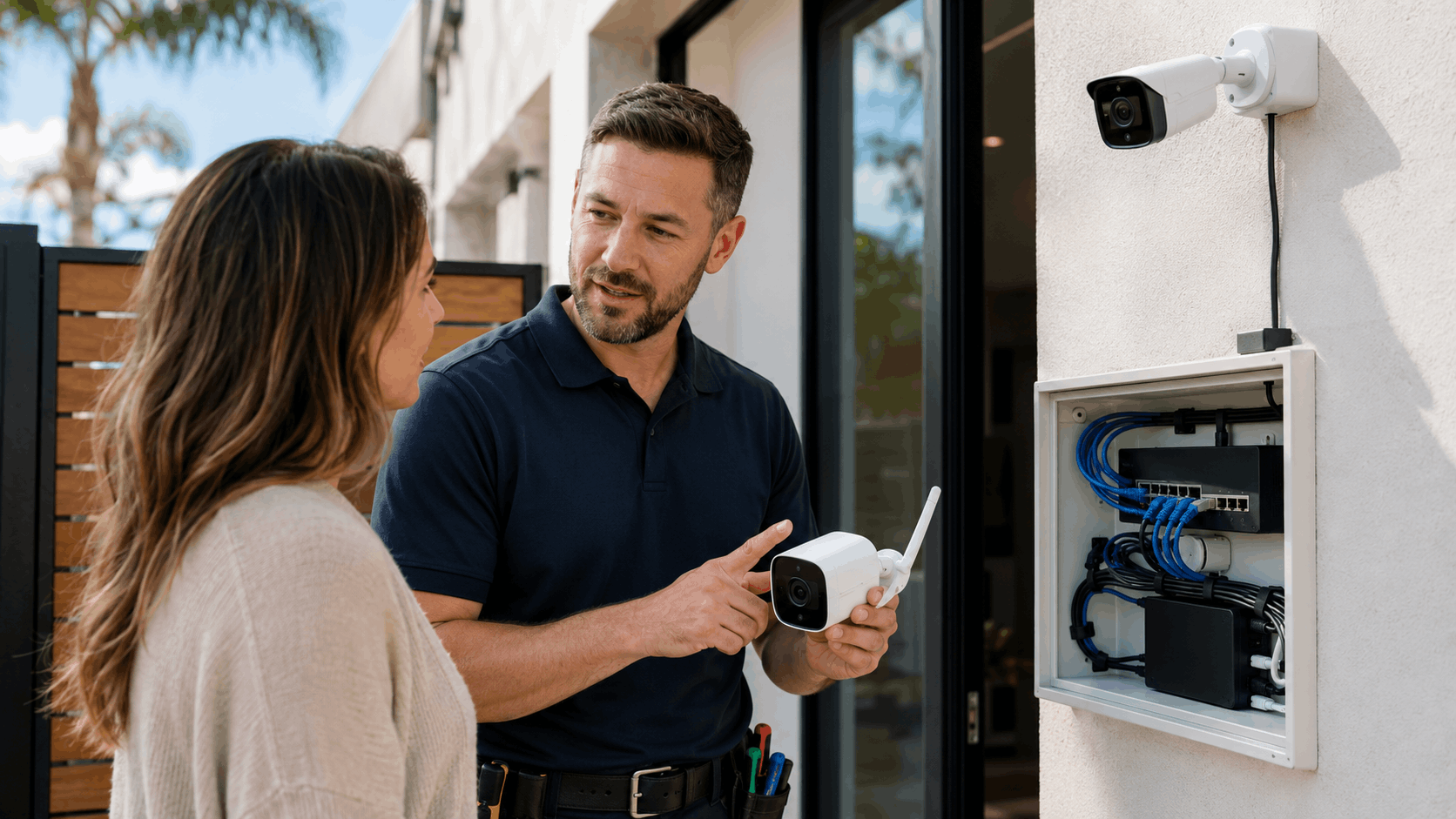
Then we recommend PoE, WiFi, or a hybrid mix based on what your property and budget support. There is no one-size answer, and we say so. A custom install for a Point Loma coastal home looks nothing like one for a downtown condo.
Smart Shield Systems serves the whole county, and we tailor each plan to the neighborhood. You can reach out for a free assessment to see what fits your place.
Cost Comparison Over the Life of the System
Price is where a lot of decisions land, and the sticker cost is only part of the story. WiFi often costs less up front, while PoE tends to cost more to install but less to run over time. Looking at the full lifespan gives a truer picture of system value.
Here is a general breakdown of what San Diego owners can expect. Actual numbers vary with camera count, quality, and property complexity.
| Cost Factor | PoE System | WiFi System |
|---|---|---|
| Equipment (4 cameras) | $800-$2,500 | $400-$1,500 |
| Professional install | $800-$2,500 | $200-$800 |
| Monthly storage | $0 (local NVR) | $5-$30 cloud |
| Ongoing maintenance | Low | Moderate (batteries) |
These are ballpark ranges to help with planning. A detailed quote depends on your specific property and goals.
Upfront Equipment and Wiring Costs
WiFi systems usually win on upfront equipment cost. A four-camera wireless kit can run $400 to $1,500 depending on quality, and DIY setup keeps labor low. That lower barrier is why many homeowners start here.
PoE equipment costs more, roughly $800 to $2,500 for a comparable four-camera system with an NVR and switch. The bigger difference is wiring cost. Professional cable runs add labor, especially in older homes where routing takes time.
For a wired install, expect $800 to $2,500 in labor depending on the property. A single-story home with attic access costs less than a two-story with plaster walls. Complexity drives the number more than camera count.
The trade-off is clear: pay less now with WiFi or invest more up front in PoE for a sturdier system. Which makes sense depends on how long you plan to stay and how much reliability matters to you.
Ongoing Storage and Subscription Fees
Storage is where the long-term math shifts. Many WiFi cameras push you toward cloud storage fees, often $5 to $30 a month depending on how many cameras and how much history you keep. Over years, those fees add up fast.
PoE systems record to a local NVR with no monthly charge. NVR storage is a one-time hardware cost, and a large hard drive holds weeks of footage. You own your recordings outright, with no subscription tied to viewing them.
Some owners want off-site backup for footage, and cloud can complement a local NVR for that. But relying on cloud alone means paying forever to keep your own video. That recurring cost tips lifetime value toward wired for many households.
When we quote a system, we lay out both models so owners see the multi-year picture. A slightly higher upfront PoE cost often ends up cheaper by year three or four once subscription fees are counted.
Maintenance and Replacement Over Time
WiFi cameras carry more ongoing upkeep. Battery models need recharging or replacement, and batteries wear out faster in the inland heat. Camera replacement comes sooner near the coast where salt air corrodes hardware.
PoE cameras have fewer moving parts and no batteries to swap. Maintenance cost stays low, mostly occasional lens cleaning and firmware updates. A quality wired camera commonly lasts five to ten years or more with basic care.
Local climate shapes replacement timing more than most people expect. A coastal WiFi camera might need replacing in two to three years, while a well-sealed PoE unit inland lasts much longer. We factor this into recommendations by neighborhood.
We also offer ongoing maintenance service to keep any system healthy. Regular checkups catch small issues before they become dead cameras during an incident.
Resale and Property Value Impact
A wired camera system can add value when you sell. Buyers see a built-in PoE setup as a permanent upgrade, much like a security system that stays with the house. It signals a property that has been cared for and secured.
WiFi cameras usually leave with the owner since they are portable. That flexibility is a plus for renters, but it means no lasting property value bump. A wired system, by contrast, is part of the home.
For business owners, a professional camera setup supports insurance and buyer confidence during a sale. A documented system with local recording is an asset a new owner can rely on from day one. Business security carries real weight in a commercial deal.
If home resale or business sale is on your horizon, a wired system is the safer long-term investment. It contributes to value in a way portable gear cannot.
Need Help in San Diego?
Smart Shield Systems serves San Diego and all of San Diego County.
Choosing the Right System for Your Property
The right pick comes down to your property type, budget, and goals. There is no universal winner in the PoE vs WiFi debate. Choosing security cameras well means matching the technology to how you actually live and where you live.
Here is how our team steers different San Diego property owners toward the right property security setup.
Best Fit for Single-Family Homes
For a typical single-family home, we usually recommend PoE as the backbone. Areas like Tierrasanta and Scripps Ranch have homes with attic access that make wiring practical. A wired system there gives steady coverage of the front door, driveway, and yard.
Reliability is the main reason. A family home benefits from cameras that never drop during a busy evening or a storm. The higher upfront cost pays off in years of dependable footage and no monthly fees.
Where wiring a spot is tough, we add a WiFi camera to fill the gap. That hybrid approach covers the whole property without forcing a full rewire. Most homes land somewhere on this spectrum.
Homeowners in Tierrasanta often choose a mostly-wired system with one or two wireless additions. It balances cost, coverage, and reliability for a standard house.
Best Fit for Small Businesses and Storefronts
Small businesses and storefronts almost always call for PoE. Retail and office spaces along corridors like Miramar Road and University Avenue need reliable, high-quality footage for theft, liability, and daily operations. Dropped video is not an option for a business.
Business cameras also tend to run longer hours and cover more area. A wired system handles many cameras at once without choking a shared network. Local recording keeps footage available for claims and investigations.
Storefront security often pairs cameras with access control and alarms for full coverage. A wired camera network integrates cleanly with these systems. Our commercial camera installation handles the whole package.
For any business on Miramar Road or a busy retail strip, we design around uptime and evidence quality. That means PoE in nearly every case, sized to the space.
Renters and Temporary Setups
Renters have different needs, and WiFi usually fits best. A no-drill setup means no wall damage and no lease violations. Renter cameras that mount with adhesive or sit on a shelf come with you when you move.
Portable security is the whole appeal here. Plug-in and battery cameras go up in minutes and come down just as fast. For an apartment or short-term rental, that flexibility outweighs the reliability edge of wiring.
The trade-off is dependence on the unit's WiFi and occasional battery upkeep. For most renters, that is a fair swap for a system they fully own and control. We help pick models that hold a strong signal in the specific unit.
When you move, everything comes with you and sets up again at the next place. That portability is exactly what temporary living calls for.
Large Lots and Multi-Building Properties
Big properties change the math completely. A large property in Rancho Santa Fe or Poway with multiple buildings needs coverage that WiFi simply cannot reach reliably. Distance and dead zones make wireless a losing bet out there.
PoE handles these spreads with cable runs and extenders that carry both power and data hundreds of feet. A multi-building setup can link a main house, guest house, barn, and gate on one system. Every camera stays wired and steady.
Estate properties often combine cameras with gate access and monitoring for full perimeter security. A wired network ties it all together into one dependable system. The scale rewards the wired investment.
For properties in Poway and Rancho Santa Fe, our team designs multi-building layouts that leave no blind spots. Coverage at the edges is where wired systems prove their worth.
Final Thoughts
The choice between PoE and WiFi is really a choice about priorities. PoE delivers the best reliability, image quality, and long-term value, especially for homes and businesses that stay put. WiFi wins on flexibility, lower upfront cost, and easy setup for renters and hard-to-wire spots.
San Diego's climate, older housing, and neighborhood layouts push many properties toward wired systems or a smart hybrid mix. The right answer depends on your building, your internet, and your goals. A quick walkthrough usually makes the best path clear.
Our team lives and works across San Diego County, from coastal Point Loma to inland Poway. We know how these systems hold up in each area because we install and service them every week. Contact Smart Shield Systems for a free consultation and we will help you pick the setup that fits your property.
Frequently Asked Questions
- Are PoE cameras better than WiFi cameras?
- PoE cameras tend to be more reliable and deliver higher, steadier video quality because they run on dedicated wiring that does not drop during heavy internet use. WiFi cameras win on flexibility, lower upfront cost, and no-drill installation. The better choice depends on your property, budget, and how much you value constant uptime. Many San Diego homes end up with a hybrid mix of both.
- How much internet speed do security cameras need?
- For remote viewing, upload speed matters most. Plan on roughly 2 to 4 Mbps per 1080p camera and 8 to 16 Mbps per 4K camera when streaming live. A few cameras work fine on most plans, but viewing many 4K feeds at once needs strong upload, often found on fiber. A local NVR records everything on site regardless of your internet speed.
- Do WiFi cameras slow down home internet?
- Yes, they can. WiFi cameras share the same wireless bandwidth as your phones, TVs, and computers. During heavy use like evening streaming or video calls, several cameras uploading at once can cause lag, buffering, or dropped footage. Putting cameras on a separate network band helps, but wired PoE cameras avoid the problem entirely by keeping video off your WiFi.
- Do security cameras work during a power outage?
- Both systems lose function during an outage unless they have backup power. A UPS keeps the recorder, switch, and router running for a while, so a PoE system can keep recording. Battery WiFi cameras keep filming, but if the router is down they cannot send or save cloud footage. We size backup power to how long you want coverage during San Diego shutoffs.
- How far can a PoE camera be from the recorder?
- A standard Ethernet cable run reaches about 100 meters, or roughly 328 feet, before the signal weakens. That covers most homes with room to spare. For longer distances on large lots or multi-building properties, a PoE extender or an added network switch pushes the range further. This is why wired systems handle big Rancho Santa Fe and Poway parcels so well.
- Can WiFi cameras be hacked more easily than PoE cameras?
- WiFi cameras transmit video over the air, which gives an attacker more to intercept if the network is weakly secured. PoE cameras on an isolated network with no direct internet exposure are harder to reach. Either way, strong unique passwords, current firmware, and feed encryption protect footage. Proper network setup, which our team handles, closes most of the gaps people worry about.
- Do coastal San Diego homes need special weatherproof cameras?
- Yes. Salt air near Point Loma and Ocean Beach corrodes camera housings, screws, and connectors much faster than inland. Look for an IP66 rating or higher and marine-grade or coated housings that resist corrosion. Sealed connectors matter as much as the camera itself. Spending a little more on corrosion-resistant hardware up front saves replacing cameras every couple of years by the coast.
- Can you mix PoE and WiFi cameras in one system?
- Absolutely. Hybrid systems are common, especially in older San Diego homes where some spots are easy to wire and others are not. We often wire the front door, driveway, and main approaches with PoE for reliability, then use WiFi cameras for hard-to-reach areas like a back fence or shed. A single recorder and app can display every feed together.
- How much does a security camera install cost in San Diego?
- A four-camera WiFi setup often runs $400 to $1,500 in equipment with $200 to $800 for professional install. A comparable PoE system runs $800 to $2,500 in equipment plus $800 to $2,500 in labor for wiring. Final price depends on camera count, quality, property complexity, and whether you need local or cloud storage. We provide detailed quotes after a site walkthrough.
- Do I need a permit to install outdoor security cameras?
- Standard residential camera installs in San Diego usually do not require a city permit. Larger commercial systems or work involving line-voltage electrical changes can be different and may need licensed work or inspection. Many HOA communities in areas like Carmel Valley and Scripps Ranch have rules about exterior camera placement. We help owners check HOA guidelines and handle any permit questions before install.
S
Smart Shield Systems Team Team
Licensed security systems professionals serving San Diego and San Diego County.
Licensed in California · License #7623
Why trust Smart Shield Systems?
Founded in 2016, Smart Shield Systems is a licensed and insured security systems serving San Diego and San Diego County. All content is reviewed by our licensed technicians.

Need Help in San Diego?
Smart Shield Systems serves San Diego and all of San Diego County.
Related Articles
Cost Guides
Commercial Security System Costs: What San Diego Business Owners Should Budget
Commercial security costs in San Diego depend on building size, camera count, and access control. This guide helps business owners budget for design, installation, and monitoring.

Safety & Prevention
Best No-Drill Security Cameras for San Diego Apartments and Renters
Discover the best no-drill security cameras perfect for San Diego apartment renters. Learn about wireless, magnetic mount, and battery-powered options that protect your rental without lease violations.
Cost Guides
Wired vs Wireless Security Cameras: Which is Right for Your Property?
Wired and wireless security cameras each have pros and cons. Compare reliability, power, and installation for your San Diego home or business.