Tips & Advice
Sunset Cliffs Security Systems: Bluff Property and Vacation Rental Service

Looking for a Security Company? Contact Us Now
Free on-site security assessment.
Get Your Free Quote
Tell us about your property and we'll get back to you fast.
Key Takeaways
- Salt air near Sunset Cliffs corrodes standard camera housings, connectors, and wiring from the inside out, so bluff properties need marine-grade, sealed hardware to last.
- Camera placement must account for afternoon glare off the water, the morning marine layer, and stiff bluff wind on streets like Ladera and Luscomb.
- Smart locks give rental owners keyless entry with unique guest codes that expire at checkout, remote lock control, and access logs to track every entry.
- Vacant and between-guest homes stay covered with door and window sensors, motion alerts, water and environmental sensors, and lighting schedules that mimic occupancy.
- San Diego short-term rental practice is outdoor-only cameras with clear disclosure to guests; confirm current licensing rules with the City of San Diego.
- Security cost depends on property size, camera count, wiring runs, marine-grade gear, smart locks, and whether the system uses professional monitoring.
- Smart Shield Systems serves Sunset Cliffs, Ocean Beach, and the wider Point Loma peninsula, starting every job with an on-site walkthrough.
In This Article
Sunset Cliffs security systems for bluff property and vacation rental service have to handle something inland setups never face: salt air that eats standard equipment from the inside out. Along Sunset Cliffs Boulevard and the quiet bluff-top streets near Sunset Cliffs Natural Park, a camera that works fine in Rancho Bernardo can fail within a year or two of ocean spray. The water is close, the air is heavy with salt, and the wind carries that corrosion straight onto metal housings and wiring.
Picture a homeowner on Ladera Street who rents the place out part of the year. They install a basic camera kit, fly home to Phoenix, and six months later the picture goes dark. The housing looks fine from the street, but the connectors inside have already corroded. That is the problem we see again and again on the Point Loma peninsula.
Why Sunset Cliffs Bluff Homes Need Different Security Gear?
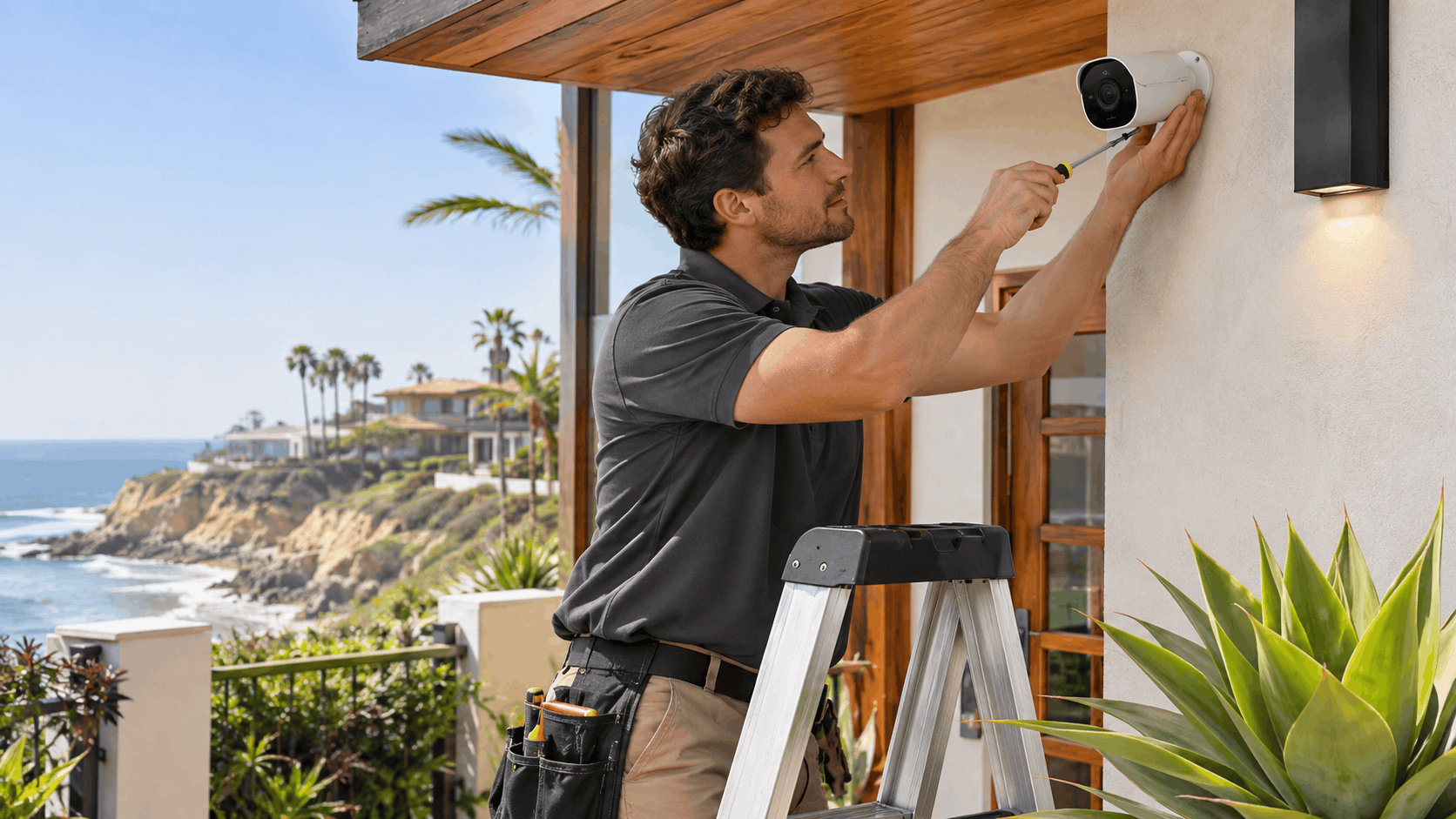
Bluff property security near the water is a different job than security a few miles inland. The ocean-front location on the Point Loma peninsula changes what equipment survives and what quietly dies in the first year. Salt air corrosion is the single biggest reason gear fails early out here, and most of the time the homeowner never sees it coming until the camera stops working.
Standard camera housings and wiring are built for average suburban weather. They are not built for a steady bath of salt mist rolling off the Pacific. On streets that sit a few blocks from the cliff edge, that mist settles on everything and starts working on the metal the day it goes up.
Getting the gear right from the start saves the headache of ripping failed equipment back out. It also means the system actually does its job when an owner is away and relying on it. Below is how the coast attacks standard equipment and what holds up against it.
How Salt Air Corrodes Standard Security Equipment
Salt corrosion works from the inside, which is what makes it so sneaky. Salt spray drifts in on the marine air and settles on metal housings, screw terminals, and cable connectors. Once salt and moisture reach a metal contact, they start an electrical reaction that eats the metal away even when the unit looks clean on the outside.
Cameras and wiring within a few blocks of the water fail early for this exact reason. The connectors corrode before the housing shows any wear, so the picture drops or the signal gets flaky while the camera still looks brand new. Owners often blame the camera brand when the real culprit is a corroded connection buried in the wall or junction box.
Wiring suffers the same fate. Cables near the ocean corrode from the inside out, so the copper frays and the signal degrades long before anything snaps. A homeowner might see their feed cut in and out and assume it is a software glitch, when it is actually a cable that salt has been working on for months.
The fix is not just a better camera. It is matching every part of the system, from housing to connector to cable, to the coastal environment. That is why we focus so heavily on the parts most people never think about.
Weather-Rated Cameras and Sealed Wiring for Ocean-Facing Properties
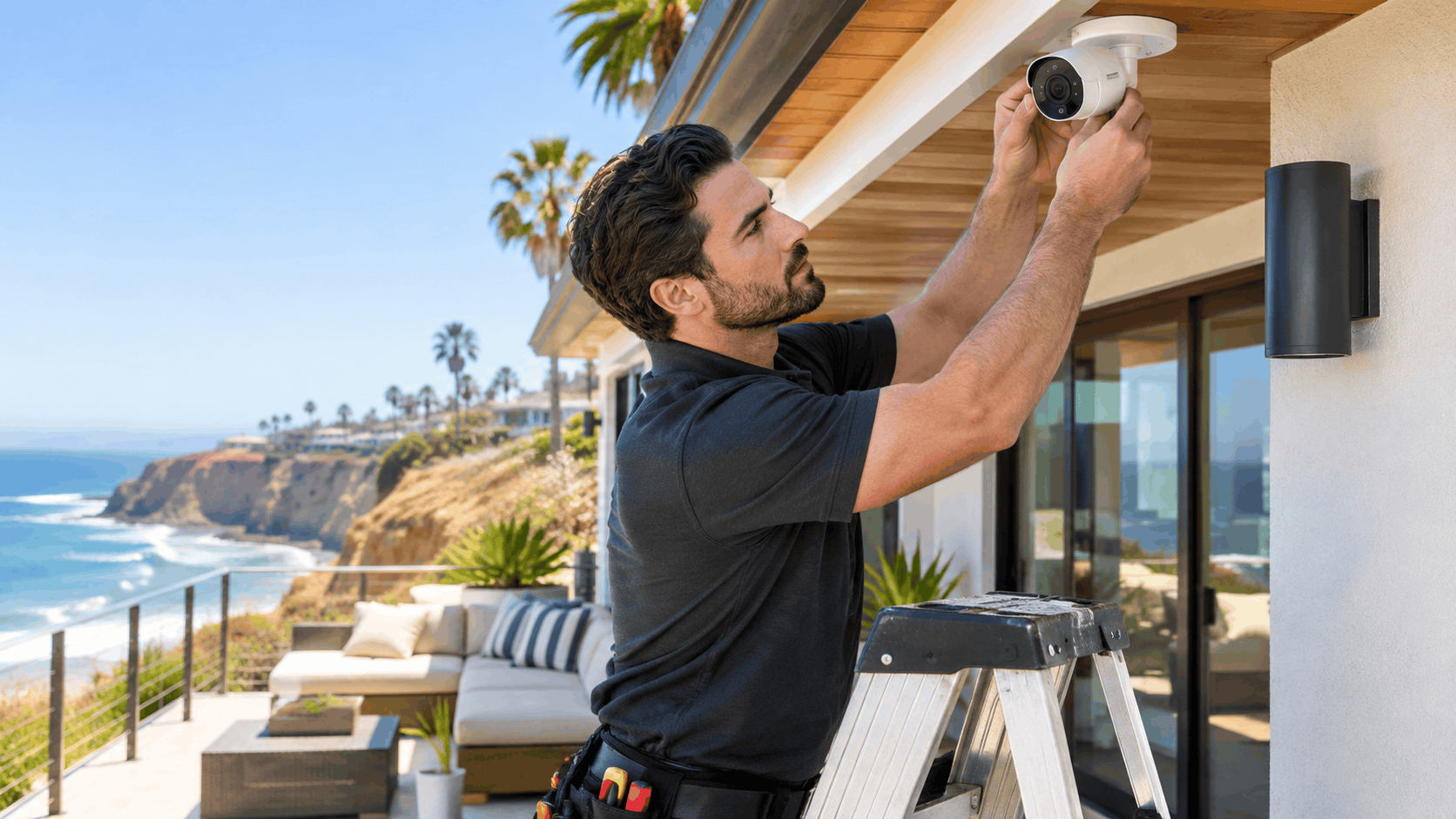
Marine-grade camera housings are the first line of defense against salt corrosion. These housings use corrosion-resistant materials and gasket seals that keep salt mist off the internal electronics. Instead of letting spray creep into the connectors, they hold a barrier that keeps the sensitive parts dry and clean.
Sealed connectors matter just as much as the housing itself. A weatherproof camera with an exposed connector is still a failure waiting to happen, because that is the exact spot salt attacks. We use sealed, gasketed connections so the link between camera and cable does not become the weak point.
Conduit protects the wiring runs that tie everything together. By routing cable through sealed conduit, we keep moisture off the copper so it does not corrode along its length. This directly solves the inside-out cable failure that plagues standard installs near the bluff.
Put together, marine-grade housings, sealed connectors, and protected wiring turn a system that would fail in a year into one that holds up for the long haul. Our team pulls these parts together as part of our video surveillance camera work on coastal homes.
Wind, Glare, and Fog on the Bluff Streets
Light and weather on the bluff fight against clear camera footage. Afternoon sun bouncing off the water creates hard glare that can wash out a camera aimed the wrong way. On west-facing homes near the cliff, a camera pointed at the sunset can go blind for hours each day if it is placed without thinking about the angle.
The morning marine layer is the other half of the problem. That low gray fog rolls in over streets like Ladera and Luscomb and softens every image, which is why camera placement has to account for both bright glare and dim haze. A camera that reads a license plate at noon might see nothing but fog at 7 a.m.
Wind adds a third challenge. Stiff bluff wind rattles poorly mounted cameras and can shift their aim over time, so solid mounting on a stable surface is not optional out here. A camera that drifts a few degrees ends up watching a wall instead of the driveway.
We handle all three by picking mounting spots that dodge direct sun, by using cameras that adjust for changing light, and by anchoring hardware against the wind. The goal is a usable image at every hour, not just a clear one on a calm afternoon.
Open Lot Lines and Public Trail Access
Homes that back onto Sunset Cliffs Natural Park and the cliff trails deal with foot traffic that standard suburban setups ignore. Hikers and beachgoers move along the trails all day, and the sight lines from a public path into a backyard are wide open in a way a fenced interior lot never is. That changes where cameras need to look.
The property perimeter on a trail-adjacent lot is less defined than on a typical block. There may be no fence, or only a low one, between the yard and the cliff access. That means the back of the home needs coverage the same way the front does, because the trail is a path right up to the property.
Owners also have to think about distinguishing normal trail traffic from someone actually approaching the house. A camera that alerts on every passing hiker becomes useless noise. We aim and tune cameras so they focus on the approach to the home rather than the public path beyond it.
Mapping these sight lines is part of why we walk every property before quoting. A lot that opens to the cliff trail needs a different camera layout than one tucked on an interior street, and we plan for that from the first visit.
Security Cameras and Monitoring for Sunset Cliffs Homes
Good security cameras and remote monitoring give Sunset Cliffs owners eyes on their property whether they are home, traveling, or renting it out. The camera options that fit bluff-top and ocean-view homes are not one-size-fits-all. Narrow lots, tight alleys, and limited lighting all shape where cameras go and what kind works best.
The biggest value for many owners here is being able to watch an empty or rented home from anywhere. A part-time resident in another state wants to open an app and confirm the house is fine. A rental owner wants to see that the cleaner showed up and no one is throwing a party.
Below we cover where cameras do the most good, how remote viewing works, why low-light performance matters on these streets, and the choice between professional and self-monitoring.
Camera Coverage for Driveways, Alleys, and Entry Points
Driveway cameras and entry point coverage do the most work on bluff-area lots. Front doors, side gates, and driveways are where people actually approach a home, so those are the spots that earn their keep. A camera watching an empty side yard sees nothing; a camera on the front entry catches everyone who comes and goes.
The tight alleys behind homes near Sunset Cliffs Boulevard are easy to overlook. Many of these properties have rear access through narrow alleys that serve as a back door to the whole block. An unwatched alley is a quiet way onto the property, which is why rear coverage matters as much as the street-facing side.
On small lots, camera count is less about quantity and more about angle. A few well-placed cameras that cover every entry beat a dozen aimed at open space. We map the driveway, the alley, and each door so there is no blind path to the house.
Entry points include more than doors. Gates, garage access, and the stretch of driveway where a car parks all deserve a look. Our home security camera installation work focuses on covering those real approach routes rather than scattering cameras at random.
Remote Viewing While Traveling or Renting Out the Home
Mobile app viewing is what lets an out-of-town owner check on an empty or rented property from anywhere. The camera feed streams to a phone, so a quick look confirms the house is quiet whether the owner is in San Diego or across the country. For part-time bluff residents, that single feature is often the reason they call us.
Recorded clips add a layer beyond the live feed. When a camera detects motion, it saves a clip the owner can review later. So if something happens while the owner is asleep or busy, the footage is there waiting rather than lost.
For rental owners, remote viewing turns a hands-off property into one they can keep an eye on. They can confirm the cleaner arrived between bookings, see when guests leave, and spot a problem before the next check-in. All of it happens from the phone, no drive to the property required.
We set up the app during install so owners understand exactly how to pull up a feed and find a saved clip. The point is a system the owner can actually use, not one that looks good on paper but sits unopened. Our remote video monitoring setup is built around that everyday use.
Night Vision and Low-Light Performance Near the Cliffs
Night vision cameras earn their cost on bluff streets where lighting is thin. Some roads near the cliffs have limited street lighting, so after dark a standard camera sees very little. Infrared and low-light cameras pull a usable image out of that darkness when a basic unit would show only black.
Infrared cameras cast light the human eye cannot see and read it back as a clear black-and-white picture. That means a camera can show who is at the door at 2 a.m. even on a street with no lamp nearby. On a dark bluff block, that is the difference between footage and a black screen.
Low-light color cameras take another approach, using sensitive sensors to hold color detail in dim conditions. Color can help identify a vehicle or clothing that infrared turns to gray. Which one fits depends on the spot and what the owner wants to capture.
Given how dark some of these streets get, spending a bit more on night performance is usually worth it. A camera that only works in daylight misses half the day. We match the camera type to the actual lighting at each mounting point so the footage holds up around the clock.
Professional Monitoring Versus Self-Monitoring
Professional monitoring and self-monitoring are two different answers to the same question: who responds when an alarm trips. With professional monitoring, a central station watches the system and can dispatch help when an alarm goes off, even if the owner never sees the alert. With self-monitoring, the alert goes to the owner's phone and it is on them to act.
Professional monitoring fits owners who are away often or who rent the property out. If an alarm trips at a vacation rental while the owner is in another time zone, a monitored system gets a response moving without waiting for the owner to wake up and check their phone. That round-the-clock coverage is the main draw.
Self-monitoring fits hands-on owners who are usually nearby and want to control costs. The system pings their phone, and they decide whether to call a neighbor, check a camera, or ignore a false alarm. It costs less because there is no central station, but it depends entirely on the owner being available.
Many bluff owners land on professional monitoring precisely because they are not always on site. Our 24/7 alarm monitoring gives an absent owner a response that does not depend on them catching the alert in time.

Need Help in San Diego?
Smart Shield Systems serves San Diego and all of San Diego County.
Get Your Free Quote
Tell us about your property and we'll get back to you fast.
Smart Locks and Access Control for Vacation Rentals
Smart locks let short-term rental owners near the cliffs manage guest access without ever handing out a physical key. Keyless entry means no lockbox on the fence, no key hidden under a pot, and no worry about a copy floating around after a guest leaves. For a rental that turns over every few days, that control is a big deal.
Code-based entry and remote control are the core of how this works. Each guest gets a code, the owner can change or cancel access from a phone, and the lock keeps a record of every entry. It turns the chaos of key handoffs into something the owner runs from anywhere.
Below we cover unique guest codes, remote lock control, locks that survive the salt air, and the access logs that let owners track who came and went.
Unique Guest Codes and Automatic Expiration
Guest access codes are the simplest way to handle a rotating set of visitors. Each guest or cleaner gets their own code, and that code only works during their stay. When checkout arrives, the code shuts off on its own, so a guest cannot walk back in after their booking ends.
Temporary entry codes solve the biggest weakness of physical keys. A key that gets copied or kept is a permanent security hole, but a code that expires closes that hole automatically. The owner never has to rekey a lock or chase down a lost key.
Cleaners and maintenance people can get their own codes too, separate from the guest's. That way the owner knows a cleaning crew code from a guest code, and each can be set to work only on the days it should. It keeps the different people who need access neatly separated.
Setting codes to match booking dates is something we configure during setup. Our guest and temporary access code setup ties entry to the stay so the owner is not creating and deleting codes by hand for every booking.
Remote Lock and Unlock From the Owner's Phone
Remote lock control lets an owner who lives elsewhere open the door from their phone. If a guest's code fails or a repair person shows up unexpectedly, the owner can unlock the door remotely instead of driving across town. For an owner who lives out of the area, that is the difference between a quick fix and a wasted trip.
The smart lock app shows whether the door is locked or unlocked at any moment. An owner can confirm the place is secured after a guest leaves, and lock it remotely if a guest forgot. No more wondering whether the last visitor actually pulled the door shut behind them.
Remote access also helps during the gap between a failed code and a fix. Instead of a guest standing outside with luggage, the owner unlocks the door from their phone and sorts out the code afterward. The guest gets inside and the owner avoids an angry message.
We configure this remote control as part of the lock setup, along with the app the owner uses to manage it. The aim is an owner who can handle access from anywhere, whether they are at home nearby or traveling far away.
Smart Locks That Survive Salt Air and Heavy Use
Corrosion-resistant locks are a must for beach-area rentals. The same salt air that attacks cameras goes after lock hardware, so a standard lock can seize or corrode faster this close to the water. Hardware built to resist corrosion holds up where a basic lock would stiffen and fail.
High-use hardware matters just as much as corrosion resistance. A rental lock gets cycled constantly as guests, cleaners, and owners come and go, far more than a lock on a private home. A lock built for light home use wears out quickly under that rotating traffic, while heavier-duty hardware takes the punishment.
The two problems stack on a coastal rental. A lock near the cliffs faces both salt corrosion and constant daily cycling at the same time, which is a brutal combination for cheap hardware. Picking a lock that handles both is how an owner avoids a failed lock mid-booking.
We steer rental owners toward hardware that is made for this exact duty. Our smart lock installation work matches the lock to the coast and to the heavy use a rental puts on it.
Access Logs for Tracking Who Entered and When
Entry logs record who opened the door and when. Every time a code is used, the system notes it, so the owner has a running history of access. For a rental, that log is a quiet record of everything that happens at the door.
Access history helps owners confirm cleaner visits. If a cleaning is scheduled between bookings, the log shows whether the cleaner's code was used and at what time. An owner can confirm the work happened without a phone call or a drive to check.
The log also catches access that should not be there. If a code is used at an odd hour or between bookings when the place should be empty, the owner sees it in the history. That early flag can catch a problem before the next guest arrives.
Between the entry log and remote control, an owner gets a full picture of access to a property they may rarely visit. It turns a hands-off rental into one where the owner knows exactly who came and went, all from a phone.
Protecting an Empty or Between-Guest Property
Vacant property security is a real concern for seasonal homes and rentals that sit empty between stays. Part-time bluff residents often leave a home closed up for weeks, and a rental has gaps between bookings where no one is inside. Those empty stretches are when a property is most exposed.
Vacation home protection during these gaps leans on sensors and alerts that work whether or not anyone is watching. Door and window sensors, motion detection, environmental monitors, and lighting schedules all keep a vacant home covered. Together they let an absent owner know the moment something is off.
Below we walk through contact sensors, motion alerts, water and environmental sensors, and the lighting tricks that make an empty home look lived-in.
Door and Window Sensors for a Closed-Up Home
Door sensors and window sensors catch entry attempts while a home sits empty. Each sensor has two parts that sit together when the door or window is closed and separate when it opens. The moment that contact breaks, the system knows a door or window has been opened.
For a closed-up home, these sensors are the first warning something is wrong. A home between bookings should have every door and window shut, so any sensor that trips means something changed. That triggers an alert the owner can act on right away.
Coverage on a vacant home should reach every ground-floor opening and any easy-access window. On bluff properties with open sight lines to the trail, the back of the house needs the same sensor coverage as the front. An unmonitored rear window is a weak spot on a trail-adjacent lot.
We place contact sensors on the doors and windows most likely to be tested, then tie them into the alarm so a breach triggers a response. Our intrusion sensor installation covers those entry points on homes that sit empty for stretches.
Motion Detection and Alerts to the Owner's Phone
Motion detection covers the space inside a vacant rental, not just the openings. A motion sensor watches a room and triggers when something moves across it. In an empty home where nothing should be stirring, any motion is a clear signal.
Phone alerts turn that detection into something an absent owner can act on. The moment a sensor picks up movement inside a home that should be empty, the owner gets a ping on their phone. That immediate notice means the owner is not relying on checking a feed by chance.
Motion sensors pair well with door and window sensors. If someone gets past an opening, the interior motion sensor catches them moving through the house. Together they cover both the way in and the space inside.
For a rental between bookings, this combination means the owner hears about trouble fast, even from far away. A motion alert at 3 a.m. in an empty home is exactly the kind of warning that lets an owner call for a response before the situation gets worse.
Water and Environmental Sensors Near the Coast
Water leak sensors matter for homes left unattended near the humid ocean air. A slow leak under a sink or behind a water heater can run for weeks in an empty home and cause real damage before anyone notices. A leak sensor catches that early and alerts the owner while the problem is still small.
Environmental monitoring covers more than water. Humidity near the coast runs high, and a home that sits closed up can develop mold or moisture problems over a long vacancy. Sensors that watch for these conditions give an owner a heads-up before a musty surprise greets the next guest.
For a property that may sit empty for weeks, these sensors guard against the slow damage that nobody is around to catch. A burst supply line or a failing appliance in an occupied home gets noticed fast; in a vacant one it can flood for days. Early alerts shrink the damage and the repair bill.
We add leak and environmental sensors to the spots most likely to have a problem, like under sinks and near water heaters. For a coastal home that spends time empty, that early warning is worth the small cost of the sensor.
Making an Empty Rental Look Occupied
Smart lighting makes a vacant property look lived-in during off-season weeks. On a set schedule, lights turn on and off through the evening as if someone is home moving around the house. From the street, an empty home reads as an occupied one.
Occupancy simulation works because an empty, dark house is an obvious target. Lights that come on at dusk, shift between rooms, and go off at a normal bedtime break up that pattern. Anyone watching a block for an empty home gets a confusing signal instead of a clear mark.
The schedule can be varied so it does not look robotic. Lights that flip on at the exact same second every night give the game away, so a little variation keeps it believable. The goal is a home that looks like someone actually lives there.
Smart lighting ties into the same system as the cameras and sensors, so an owner controls it all from one app. Our smart home security integration work brings lighting, sensors, and cameras together so a vacant home manages itself on a schedule.

Need Help in San Diego?
Smart Shield Systems serves San Diego and all of San Diego County.
Short-Term Rental Rules That Affect Security Setup
Short term rental rules and guest privacy expectations shape where cameras can go on a rental in San Diego. The city regulates short-term rentals, and guest privacy is a real concern that limits camera placement inside a rented home. Getting this right keeps an owner on the right side of both the rules and their guests.
Because these rules can change, owners should confirm current requirements with the City of San Diego rather than relying on old information. What follows is the general practice most rental owners work from, but the city is the source for what applies right now.
Below we cover where cameras are and are not allowed, disclosing devices to guests, noise monitoring that respects privacy, and where to confirm the current rules.
Where Cameras Are and Are Not Allowed on a Rental
Outdoor cameras are the general standard for short-term rentals. Cameras covering the exterior, like the front door, driveway, and yard, are widely accepted because they watch public-facing areas rather than private living space. They protect the property without putting a lens on the guests inside.
Indoor cameras are a different story. Rental camera placement inside a home raises serious guest privacy concerns, because guests expect privacy in the space they are paying to stay in. Cameras in bedrooms, bathrooms, or living areas cross a clear line and can land an owner in real trouble.
The safe practice most owners follow is outdoor-only cameras. That covers the property's real entry points and the exterior without ever pointing a camera at a guest in their rented space. It keeps security tight and privacy intact.
When we set up a rental, we focus the cameras on exterior approaches and entry points. That gives the owner the coverage they need while keeping cameras out of the private areas where guests have every right to expect none.
Disclosing Security Devices to Guests
Camera disclosure is the general expectation for rental owners. Guests should be told about any cameras and monitoring, both in the listing and with a notice at the property. Being upfront is both the courteous and the widely expected approach.
Guest notice usually appears in two places. The listing description tells guests before they book, and an on-site notice reminds them when they arrive. That way no guest is surprised to learn a camera is watching the driveway.
Disclosure covers more than cameras. Smart locks, noise monitors, and other devices should be noted too, so guests understand what is in use. An honest listing sets expectations and avoids complaints after the fact.
Owners should check the current disclosure expectations with the City of San Diego and the platform they list on, since both can set rules. We help owners place the exterior cameras; disclosing them in the listing is the owner's part of keeping everything above board.
Noise and Occupancy Monitoring Without Recording Guests
Noise monitoring helps owners meet local quiet rules without recording a single conversation. These sensors measure sound level, not sound content, so they flag a loud party without ever capturing what guests say. The owner sees that the noise crossed a threshold, nothing more.
Occupancy sensors work the same way, tracking how many people are in a space without identifying anyone. If a rental is booked for four and the sensors suggest a crowd, the owner gets a signal that something may be off. It helps enforce occupancy limits without surveillance of the guests.
These tools let an owner stay on top of noise and occupancy rules while fully respecting privacy. A decibel reading is not a recording, so there is no conversation captured and no privacy crossed. The owner gets the information they need and nothing they should not have.
For a bluff rental in a quiet residential area, noise monitoring can be the thing that keeps the neighbors happy and the rental license safe. We can set up these sensors so an owner catches a problem early, before a neighbor complaint reaches the city.
Confirming Current Local Requirements
The City of San Diego is the source for current short-term rental licensing and rules. STR license requirements, camera disclosure expectations, and occupancy limits can all change, so owners should verify them directly rather than trusting secondhand information. The city's official resources are the place to confirm what applies to a given property.
Short-term rental regulation has shifted over the years, and what was true a while back may not be true now. An owner setting up a new rental or changing an existing one should check the current rules before finalizing anything. That protects the license and avoids fines.
You can find current information through the City of San Diego official site. Platform rules from the listing service are worth checking too, since they layer on top of city rules.
Our role is the security hardware, placed in a way that fits the general practice of outdoor-only cameras and clear disclosure. The licensing and rule-confirmation side stays with the owner and the city, and we build the system to work within whatever the current rules require.
What Sunset Cliffs Security Systems Cost
Security system cost for a bluff property or rental depends on the property and what goes into the system. There is no single price, because a two-camera setup on a small lot and a full rental system with smart locks and monitoring are very different jobs. What follows are the pricing factors that move the total up or down.
Rather than quote a figure that would not fit most homes, it helps to understand what drives cost. Property size, camera count, wiring, the grade of hardware, and ongoing monitoring all play into the number. A walkthrough is the only way to land on an accurate price for a specific home.
The table below lays out the main factors and how each one affects the total.
| Cost Factor | How It Affects the Total |
|---|---|
| Property size | Larger lots and more entry points need more cameras and sensors, raising the total |
| Number of cameras | Each added camera increases equipment and labor cost |
| Wiring runs | Long or difficult cable runs through conduit add labor and material |
| Marine-grade gear | Corrosion-resistant housings and sealed hardware cost more than standard equipment |
| Smart locks | Keyless entry hardware for rentals adds to the equipment total |
| Monitoring | Professional monitoring adds a recurring monthly fee |
What Drives the Price Up or Down
Property size is one of the biggest pricing factors. A larger home with more doors, windows, and approach routes needs more cameras and sensors to cover it fully. A compact bluff lot with a few entry points costs less to secure than a sprawling property with open sight lines to the trail.
Camera count follows directly from that. Every camera adds equipment cost and the labor to mount and wire it. An owner who wants the driveway, both side gates, the alley, and the front door covered is buying more cameras than one who just wants the front entry.
Wiring runs are an equipment cost people often underestimate. Running sealed conduit through walls and across a property takes time and material, and a difficult run costs more than a short, simple one. On coastal homes, that protected wiring is not optional, so it factors into every quote.
Marine-grade gear is the coastal premium. Corrosion-resistant housings, sealed connectors, and weatherproof hardware cost more than the standard equipment used inland. That extra cost up front is what keeps the system from failing in a year, so it pays for itself over the life of the install.
Upfront Equipment Versus Ongoing Monitoring Fees
The equipment cost is a one-time charge for the hardware and installation. Cameras, sensors, locks, wiring, and the labor to put it all in are paid once, up front. That is the bulk of the cost for a self-monitored system where the owner handles alerts themselves.
Monitoring fees are a separate, recurring cost. Professional monitoring through a central station adds a monthly fee for the ongoing service of watching the system and dispatching a response. That is an ongoing budget line, not a one-time purchase.
App subscriptions can add a small recurring cost too, depending on the system. Some remote viewing and cloud clip storage features carry a monthly or yearly fee. Knowing which features cost extra helps an owner budget for the full picture, not just the install.
Separating these two is how an owner plans realistically. The upfront equipment is the big number at the start, and the monitoring and subscription fees are the smaller numbers that repeat. We lay both out clearly so there are no surprises after the system is in.
Why Rental Setups Often Cost More Than Home Setups
Rental security cost tends to run higher than a comparable home setup. The main reason is the extra access control a rental needs. Smart locks with guest codes and access logs are hardware a private home often skips, and that adds to the rental's total.
The smart lock cost itself is part of it. A keyless entry lock built for a rental is more than a basic deadbolt, and a rental may need one on more than one door. That hardware stacks onto the camera and sensor cost a home would have anyway.
Heavier-duty hardware for rotating guests is the other factor. A rental lock gets cycled far more than a home lock and faces the same salt air, so it needs corrosion-resistant, high-use hardware that costs more than light-duty gear. That durable hardware is what keeps a lock from failing mid-booking.
Access logging and remote management features add to the rental system as well. The ability to track entry and manage codes from anywhere is extra capability that a simple home system does not include. For a rental owner, that capability is worth the added cost because it is what makes hands-off renting possible.
Need Help in San Diego?
Smart Shield Systems serves San Diego and all of San Diego County.
How Smart Shield Systems Handles a Sunset Cliffs Install
At Smart Shield Systems, a security installation on the Point Loma peninsula starts with the property, not a catalog. Every bluff home and rental in San Diego is different, so we walk the property, match the gear to the coastal conditions, and set up the remote access the owner needs. The process is built around what actually lasts and works this close to the water.
We serve Sunset Cliffs, Ocean Beach, and the wider Point Loma peninsula, so we know what the salt air does to equipment out here. That local knowledge shapes every recommendation, from camera housing to lock hardware.
Below is how a Sunset Cliffs install comes together, from the first site visit through setting up remote access.
On-Site Assessment of the Property and Sight Lines
A site assessment starts with a walk of the whole property. Our team maps the entry points, the blind spots, and the sight lines from the street, the alley, and any trail access behind the home. Walking the property is the only way to see where coverage is really needed and where a camera would just watch empty space.
The property walkthrough also checks salt exposure. A home right at the cliff edge faces heavier spray than one a few blocks back, and that changes which gear holds up. We note how exposed each mounting spot is so the equipment matches the conditions at that exact point.
We look at light and wind during the assessment too. A west-facing wall that catches the afternoon glare needs a different camera choice than a shaded side yard. Noting these conditions up front means the system is planned around the real environment, not a guess.
By the end of the walkthrough, we have a map of what the property needs and why. That map is what the recommendation is built on, so the owner gets a system aimed at their actual home rather than a generic package.
Choosing Gear That Lasts in the Coastal Environment
Gear selection for a bluff home starts from the coastal conditions, not an inland default. We pick marine-grade housings, sealed connectors, and corrosion-resistant hardware because that is what survives salt air near the water. Installing standard inland equipment here would just mean replacing it in a year or two.
Coastal equipment choices run through the whole system. The cameras, the wiring, the connectors, and the locks all get matched to the salt exposure at the property. A chain is only as strong as its weakest link, so we do not pair a weatherproof camera with a connector that will corrode.
We also match hardware to how the property is used. A rental that cycles locks constantly gets high-use hardware, while a private home may not need that same heavy duty. The goal is gear that fits both the coast and the way the owner lives in or rents the home.
This is where the earlier salt-corrosion problem gets solved in practice. By choosing gear built for the bluff from the start, we give the owner a system that holds up instead of one that quietly fails. That is the difference between a one-time install and a repeat repair.
Setting Up Remote Access for Owners and Guests
Remote access setup is where the system becomes something an owner can run from anywhere. We configure the owner app so pulling up a camera feed, checking a sensor, or locking a door is simple. An owner who can actually use the system is the whole point of setting it up.
For rentals, we set up the guest codes and the access logs. Codes can be tied to booking dates so they work during a stay and shut off after, and the log records every entry. That gives a rental owner the control to manage guests and cleaners without being on site.
Alerts round out the remote setup. We configure the system so motion, sensor trips, and other events ping the owner's phone the way they want. An absent owner stays informed about their property no matter where they are.
Once it is all configured, we walk the owner through using it so nothing is a mystery. The system should feel manageable from day one. Our keyless entry systems and app setup are built so an owner leaves the install knowing how to run their own property.
Serving Sunset Cliffs and the Point Loma Peninsula
Our service area covers Sunset Cliffs, Ocean Beach, and the wider Point Loma peninsula. We work the coastal neighborhoods where salt air is a daily factor, so the challenges of a bluff property are familiar ground for our team. That coastal focus is what makes our recommendations fit these homes.
Beyond the coast, we serve homes and businesses across San Diego and the surrounding areas. Whether a property sits on a cliff-top street or an inland block, we match the system to the conditions where it lives.
Owners along Sunset Cliffs Boulevard, Ladera, Luscomb, and the streets bordering the natural park all deal with the same salt and the same open sight lines. We have driven those streets and know what the environment does to equipment. That firsthand knowledge shapes every install we plan out here.
From a single-camera home to a full rental setup with smart locks and monitoring, we handle the range of security needs on the peninsula. The common thread is gear chosen for the coast and a setup the owner can actually run.
Secure Your Bluff Property With Smart Shield Systems
Bluff homes and rentals near Sunset Cliffs need gear built for salt air, cameras aimed for the glare and fog, and smart locks that handle rotating guests. Our team walks the property, maps the sight lines and salt exposure, and matches every part of the system to the coast before anything goes up.
Reach out to Smart Shield Systems through our contact page to set up a walkthrough of your Sunset Cliffs property. We will assess the home and recommend a system built to last near the water.
Frequently Asked Questions
- Do security cameras rust faster near Sunset Cliffs?
- Yes. Salt air near the water settles on camera housings, connectors, and wiring and corrodes them from the inside, so standard gear can fail within a year or two this close to the bluff. The connectors often go before the housing shows any wear, which cuts the signal while the camera still looks new. Marine-grade housings and sealed connectors resist that corrosion and last far longer in the coastal environment.
- Can I put cameras inside my vacation rental?
- The general practice is outdoor-only cameras on a rental. Indoor cameras raise serious guest privacy concerns, since guests expect privacy in the space they are paying to stay in, and cameras in bedrooms, bathrooms, or living areas cross a clear line. Owners typically cover exterior entry points like the front door and driveway instead. Confirm current rules with the City of San Diego and your listing platform before setting anything up.
- How do guests get into my rental without a key?
- Guests use a smart lock code instead of a physical key. Each guest gets a unique code that works only during their stay and shuts off automatically at checkout, so there is no key to copy, lose, or leave behind. Cleaners and maintenance people can get their own separate codes too. The owner can set these codes to match booking dates and manage them all from a phone.
- Can I watch my Sunset Cliffs home while I am out of town?
- Yes. With a mobile app, you can pull up a live camera feed from anywhere, whether you are elsewhere in San Diego or across the country. The system also saves recorded clips when it detects motion, so you can review what happened even when you were not watching live. For part-time bluff residents and rental owners, that remote view is often the main reason they install cameras.
- What is the difference between professional and self-monitoring?
- With professional monitoring, a central station watches your system and can dispatch a response when an alarm trips, even if you never see the alert. With self-monitoring, the alert goes to your phone and it is up to you to act. Professional monitoring fits owners who are away often or rent the property out, while self-monitoring suits hands-on owners who are usually nearby and want to control costs.
- Do I need to tell guests about my security system?
- Yes, disclosure is the general expectation. Owners should note cameras, monitoring, smart locks, and similar devices both in the listing and with a notice at the property, so no guest is surprised. Being upfront is both courteous and widely expected, and it avoids complaints after a booking. Check current disclosure expectations with the City of San Diego and your listing platform, since both can set rules.
- How much does a bluff-property security system cost?
- It depends on the property and the system. Property size, the number of cameras, the length and difficulty of wiring runs, and the use of marine-grade hardware all move the total up or down. Rentals often cost more because of smart locks, access logging, and heavier-duty hardware for rotating guests. There is also a difference between one-time equipment cost and recurring monitoring or app fees. A walkthrough is the only way to price a specific home accurately.
- Can I track who entered my rental between bookings?
- Yes. Smart locks keep an access log that records every time a code is used and when. That lets you confirm a cleaner showed up between bookings and spot any access at an odd hour or during a time the property should be empty. Combined with remote control of the locks, the log gives you a full picture of who came and went, all from your phone.
- How do I protect an empty home during the off-season?
- Use a combination of door and window sensors, motion detection, environmental sensors, and smart lighting. Contact sensors catch entry attempts, motion sensors ping your phone if something moves inside, and leak and humidity sensors guard against slow damage in the humid coastal air. Smart lighting on a varied schedule makes the home look lived-in so it does not read as an obvious empty target from the street.
- Does Smart Shield Systems serve all of Point Loma?
- Yes. We serve Sunset Cliffs, Ocean Beach, and the wider Point Loma peninsula, along with San Diego and the surrounding areas. We work the coastal neighborhoods every day, so the salt air, open trail sight lines, and lighting challenges of a bluff property are familiar ground for our team. That coastal focus shapes the gear we recommend and how we plan each install.
S
Smart Shield Systems Team Team
Licensed security systems professionals serving San Diego and San Diego County.
Licensed in California · License #7623
Why trust Smart Shield Systems?
Founded in 2016, Smart Shield Systems is a licensed and insured security systems serving San Diego and San Diego County. All content is reviewed by our licensed technicians.
Need Help in San Diego?
Smart Shield Systems serves San Diego and all of San Diego County.
Related Articles

Tips & Advice
Solana Beach Security Systems: Coastal Affluent Property Service
A local guide to Solana Beach security systems for coastal affluent homes, covering salt air wear, discreet installs, smart integration, monitoring, and real cost ranges.
Tips & Advice
Leucadia Security Systems: Coastal Surf-Town Property Service
How Leucadia homeowners protect coastal surf-town properties from salt air, package theft, and summer crowds with weatherproof security systems built for the 101.
Tips & Advice
Del Mar Home Security: Bluff and Oceanfront Property Specialists
Del Mar coastal homes face salt air corrosion, bluff blind spots, and beach-side risks. Learn the equipment, placement, permits, and pricing that keep oceanfront property secure.